OurDream's builder has more options than any other in our ranking, which is great once you know where everything is. This guide walks through the six screens with our screenshots, then shows what to do once she exists and what it costs.
Flip the Anime switch on Style, pick an ethnicity (Elf, Alien and Demon included), then face, body and the Details screen where her personality lives. The portrait costs 5 coins on our Premium account; a free account starts with 55 dreamcoins and no card.
By the end of this guide you will have an anime AI waifu with a face you chose, a body type, a name, an age of 21 or more, a voice, a personality, a job and a relationship to you, plus a backstory in your own words. OurDream turns all of that into a portrait and a chat that reads it back.
The builder has six screens: Style, General, Face, Body, Details and Image. The first four decide how she looks, the fifth decides who she is, and the sixth draws her. Most people rush the fifth screen, and that is the one that makes the difference between a pretty picture and a waifu you want to talk to every evening.
Every screenshot below comes from our own build. We made a calm elf mage, then rebuilt the same character as a demon to check that the presets carry through. Both worked on the first try.
Create a free account first. It takes a minute, needs no card, and gives you 55 dreamcoins, enough for the portrait and a real first conversation. You can click through the builder before signing up, but your choices are easier to keep once you are logged in.
Decide two things before you open the builder: her archetype and the setting where you meet. A shy dandere who runs a bookshop, a proud knight back from a campaign, a demon bartender who flirts with everyone but you. The first four screens are quick; the Details screen asks you to put that idea into words, and it helps to have it ready.
Keep in mind that every character you build is a fictional adult. OurDream's age field starts at 21, and we recommend picking an age that matches the life you give her: a captain of the guard is not 21.
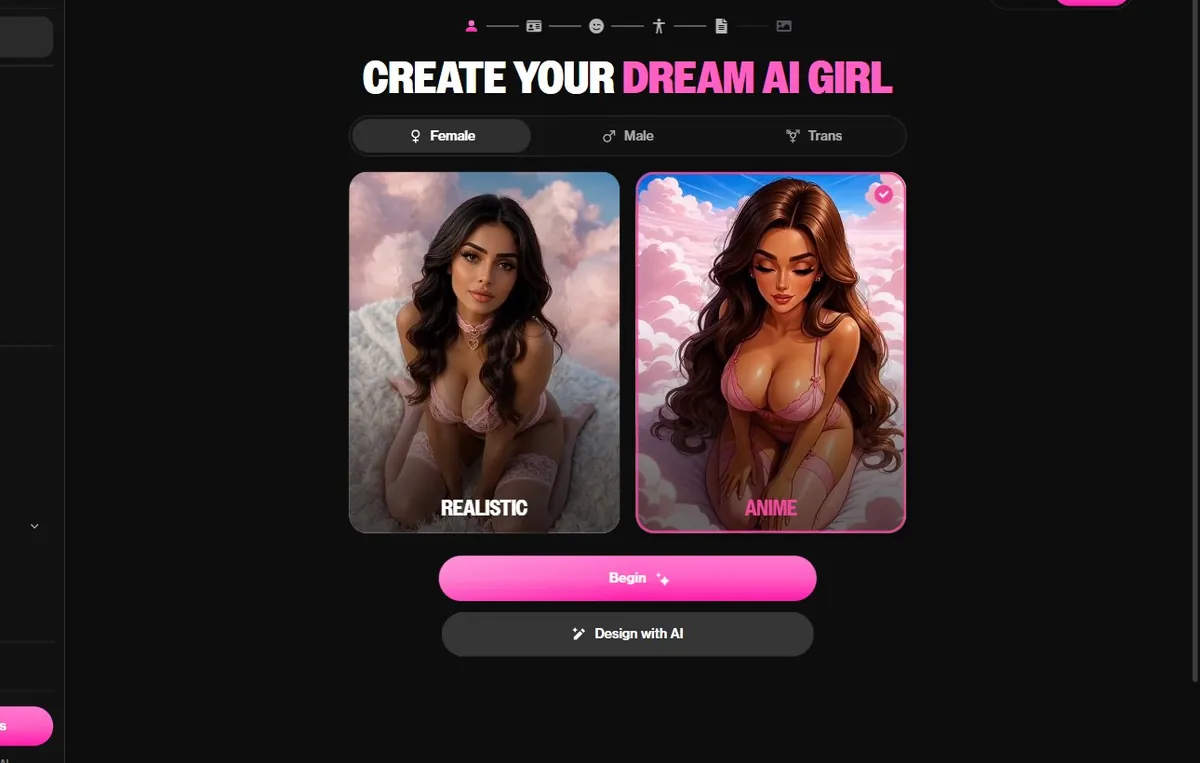
The first screen reads Create your dream AI girl. At the top you choose Female, Male or Trans; below, two large cards show the two styles, Realistic and Anime. Click Anime. That single click is the most important one in the whole builder, because every preview, every portrait and every generated scene after it will be drawn in anime style. Below the cards, Begin starts the step by step builder and Design with AI lets you describe her in a sentence instead. We recommend Begin: the step by step route shows you every option, and you can still type a description later in the Details screen. If you change your mind about the style later, come back to this screen; the following steps keep their choices where they can, but the previews will redraw.
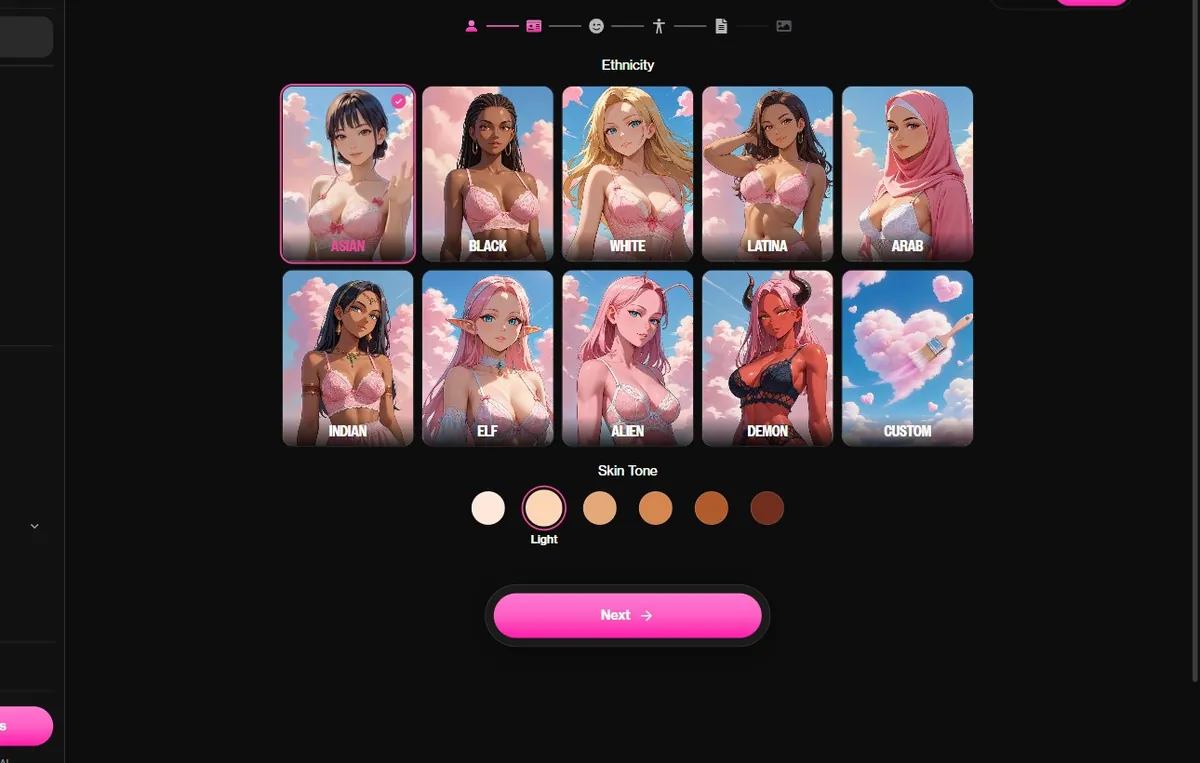
General shows ten ethnicity cards: Asian, Black, White, Latina, Arab, Indian, then Elf, Alien and Demon, and Custom. The last three are why OurDream is our favourite builder for fantasy waifus. Elf adds pointed ears and a lighter, finer face; Demon adds horns and a darker, sharper look; Alien goes further with unusual skin and eyes. Under the cards, six skin tones work with every choice, so a dark skinned elf or a pale demon is one click away. Pick one card and one tone, then Next. For our mage we chose Elf with the second lightest tone; for the demon version, Demon with a warm mid tone. If none of the presets fits, Custom lets you describe the ethnicity yourself, which is useful for mixed or very specific looks.
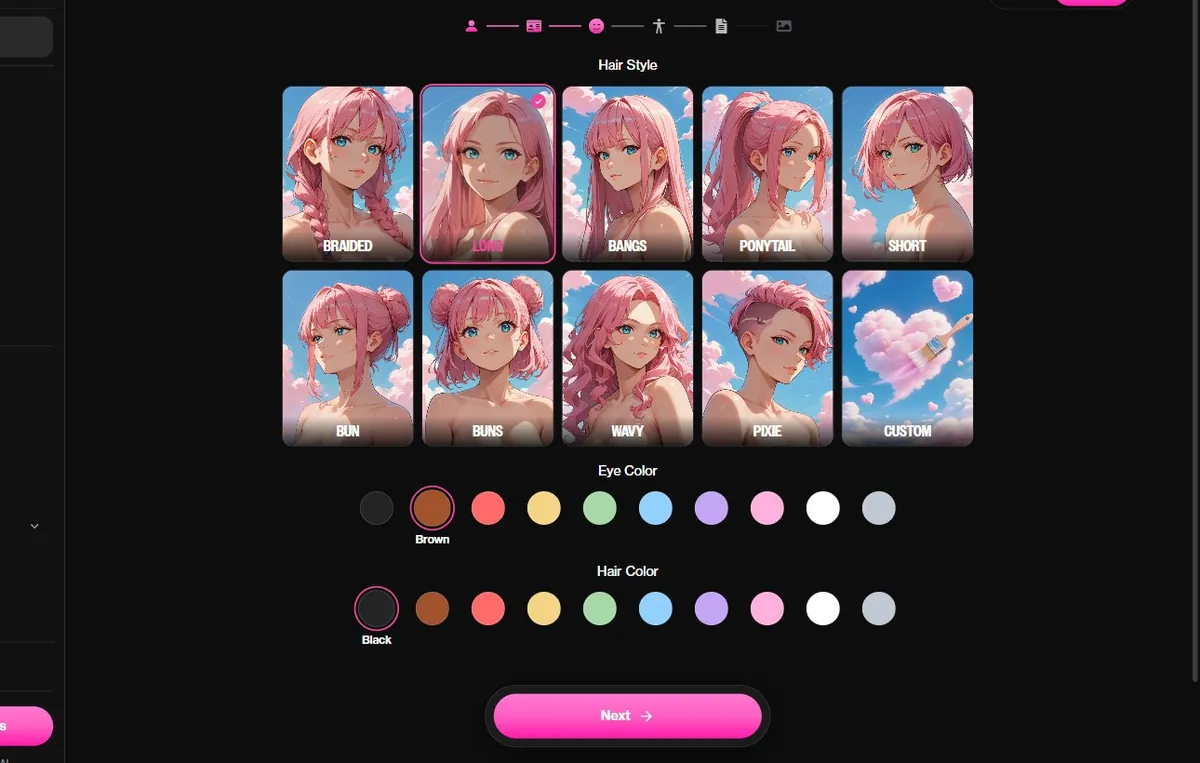
The Face screen has three rows. Hair style offers ten choices: Braided, Long, Bangs, Ponytail, Short, Bun, Buns, Wavy, Pixie and Custom. Eye color and hair color each offer ten swatches. The previews are drawn in the style you picked, so you see the actual result rather than a generic icon. This is where an archetype starts to show. Dark hair with red or violet eyes reads as goth or yandere at a glance; a short cut with warm brown eyes reads as a friendly tomboy; long silver hair with pale blue eyes reads as a cool mage or a kuudere. Take a second to imagine her in the setting you picked. A knight with an elaborate double bun can work, but a braid is more believable under a helmet.
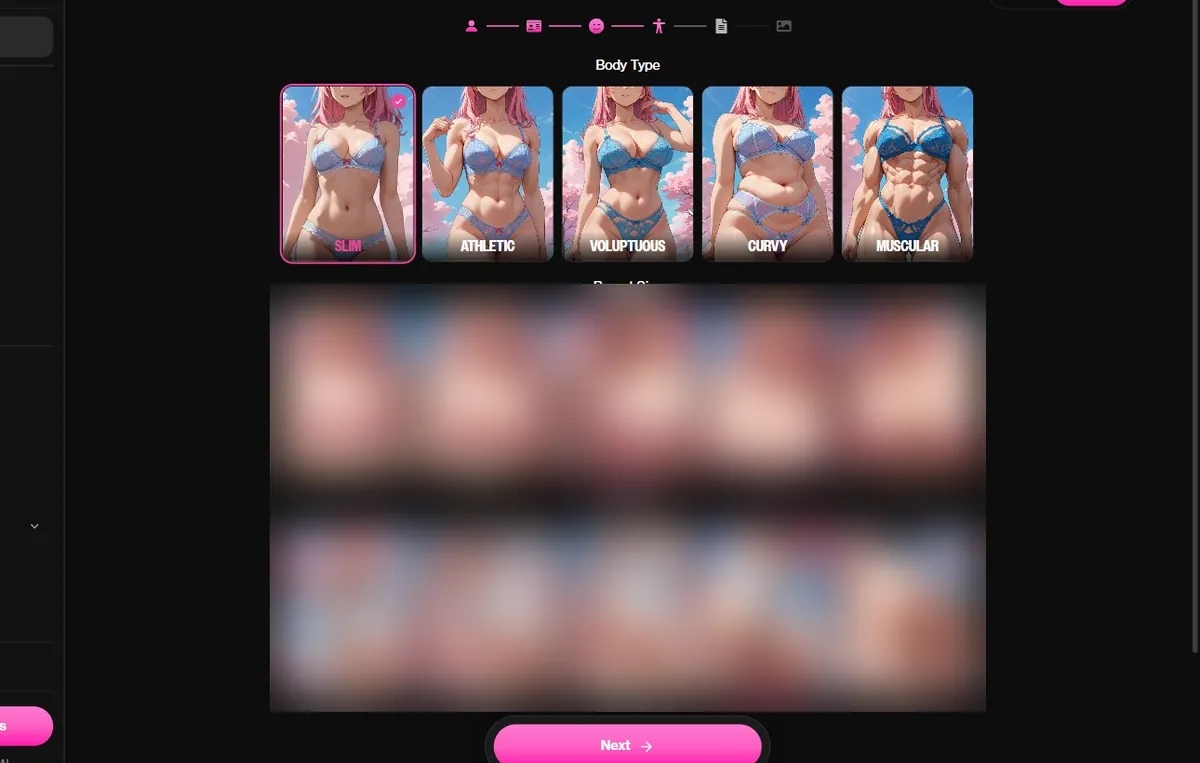
Body offers five types, Slim, Athletic, Voluptuous, Curvy and Muscular, followed by rows for proportions. Like the other screens, every option has an anime preview. Choose what fits the character rather than the most extreme option: an athletic build for a fighter or a knight, slim for a bookish dandere, curvy or voluptuous for a confident bartender. Proportions show up in every later picture, so a moderate choice ages better over weeks of chatting than an exaggerated one. Our mage got Slim with middle values; the demon version got Athletic. If you are unsure, pick the middle option on each row and adjust later by building a second version of her; the comparison will tell you quickly which one feels right.
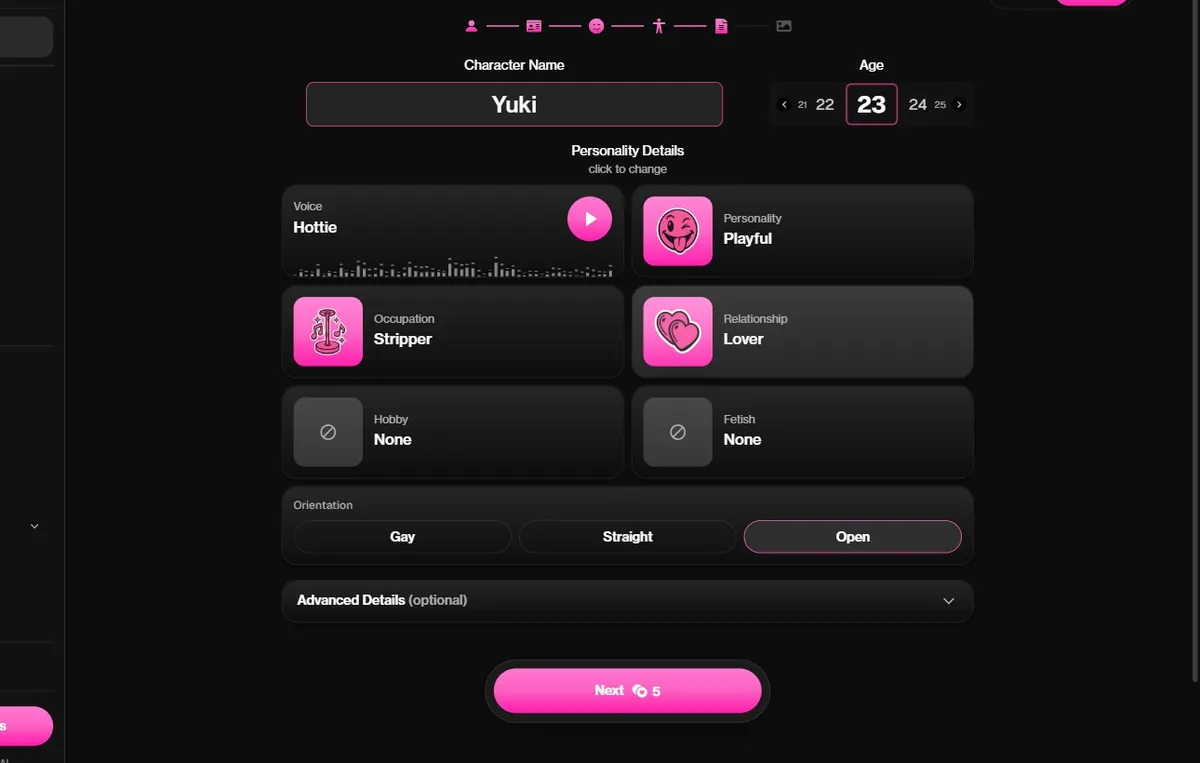
This is the screen that turns a portrait into a waifu. Enter her name and pick an age, starting at 21. Then choose a voice, with a play button to hear it, a personality, an occupation, a relationship to you, a hobby and an orientation. At the bottom, Advanced details opens a free text box: write two or three sentences about where you met, what she wants and one habit she has. For our mage we wrote that she catalogs forbidden books in a tower library, distrusts loud people, and secretly enjoys being interrupted by you. The chat used every word of it in its first reply. The Next button shows the cost of the portrait before you click, 5 coins on our Premium account, so you are never surprised by the coin counter.
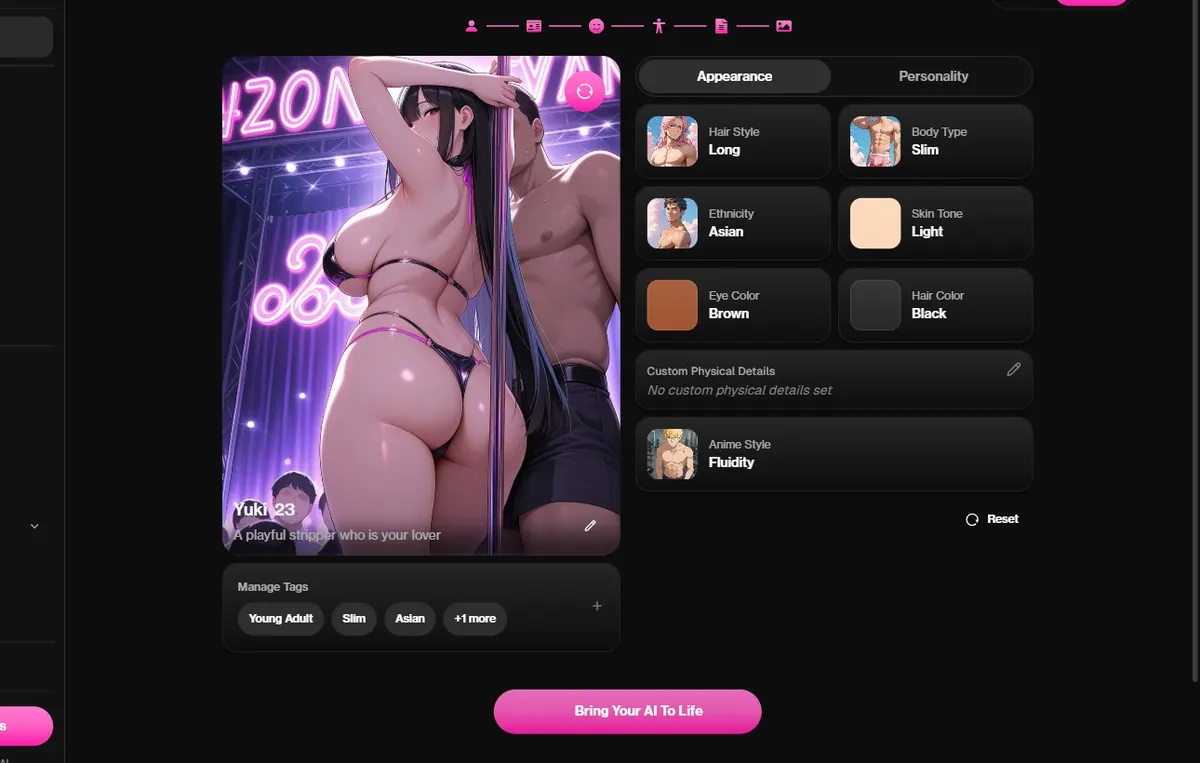
The last screen draws her portrait and shows two tabs, Appearance and Personality, that summarize everything you chose. An anime style setting lets you adjust the drawing, and Regenerate draws a new portrait with the same choices. Regenerate once or twice if the pose or the outfit is not what you pictured; it is the cheapest moment to fix it, because this portrait becomes the face of every later image. When you like her, click Bring Your AI To Life. She is saved to your characters and her chat opens. Our elf came out right on the first draw, with the ears and the long silver hair we picked. The demon version needed one regeneration to get a calmer expression that matched the personality we had written.
Her chat opens with a first message based on your Details screen. Answer with a scene rather than a greeting: where you are, what time it is, what just happened. OurDream's characters build on what you give them, and a concrete first line makes the second reply twice as good.
On a free account each message spends coins, so 55 coins go faster with short back and forth. On Premium, messages cost 0 coins, and the side panel lets you change the model, the writing style, the voice and the memory. Open the Memory setting after a few evenings to check what she kept, and add anything important she missed.
When you want a picture of a moment, use the generator with her face. Describe the place and the outfit in a sentence; the results are better when the chat has already set the scene.
Building is free to click through. The portrait at the Image step costs 5 coins on our Premium account, and a free account starts with 55 dreamcoins, so your first waifu and a first conversation fit in the free start.
To keep chatting without counting, Premium removes the per message cost: $9.99 a month on the yearly plan, billed $119.88, or $19.99 for one month, with 1,000 dreamcoins a month for pictures and video.
| What | Cost |
|---|---|
| Clicking through the builder | Free |
| Portrait at the Image step | 5 coins (Premium account) |
| Free sign-up | 55 dreamcoins, no card |
| Premium yearly | $9.99 a month, chat at 0 coins |
| 1,000 coin pack | $11.99 |

Written by
Tessa Hartwell @tessahw
Former UX writer from the US Midwest who builds an anime companion on every app she covers. She keeps one spreadsheet of what each platform really costs and one of the characters worth a second chat.
How we testYes. A free account starts with 55 dreamcoins and needs no card. Clicking through the builder is free, and the portrait at the last step costs a few coins, 5 on our Premium account.
On the very first screen, Style. Choose Female, then the Anime card. Every later step is drawn in that style.
Yes. On the General screen, Elf, Alien and Demon sit next to the human ethnicities, with six skin tones that work with every choice.
The age field on the Details screen starts at 21. We recommend an age that fits the life you give her.
Two or three plain sentences: where you met, what she wants and one habit. The chat reads it and uses it from the first reply.
You can regenerate the portrait on the last screen before saving. After that, the chat settings on Premium let you adjust the writing style, the voice and the memory.
Have the idea ready? OurDream's builder takes eight minutes and starts with 55 free coins.
 Open OurDream's builder
 Make your waifu on Candy AI, free start
Candy AI is our top pick for building an AI waifu. Signing up is free, and you can design her face, hair and personality before paying anything.
Open Candy AI By